The You.com Sim Integration Brings Eight Web Search API Tools to Visual Agent Workflows


TLDR: Sim, the open source, self-hostable visual AI agent builder (Apache 2.0), now ships a native You.com block. The You.com Sim integration adds eight tools to the visual workflow builder: Search, Get Contents, Answer, Research, Get Research Task, Finance Research, Search Images, and Get Account Balance.
Agents built in Sim can pull live web and news results, convert pages to Markdown, return cited answers, and run multi-step research that finishes in seconds or keeps going in the background for several minutes. Research can also return typed JSON that matches a schema you define, so results land in a Sim Table without a parsing step. Setup takes one You.com API key.
Most agent workflows have one block nobody wants to own, and it's the step that goes to the web.
In a visual builder it usually starts as a generic HTTP request to a search endpoint, followed by a function block that strips HTML, another that truncates the page to fit the context window, and a comment that says "fix later." The agent downstream reasons carefully over whatever survives. When the page was stale or the scrape returned a cookie banner, the agent still answers, and it answers with confidence.
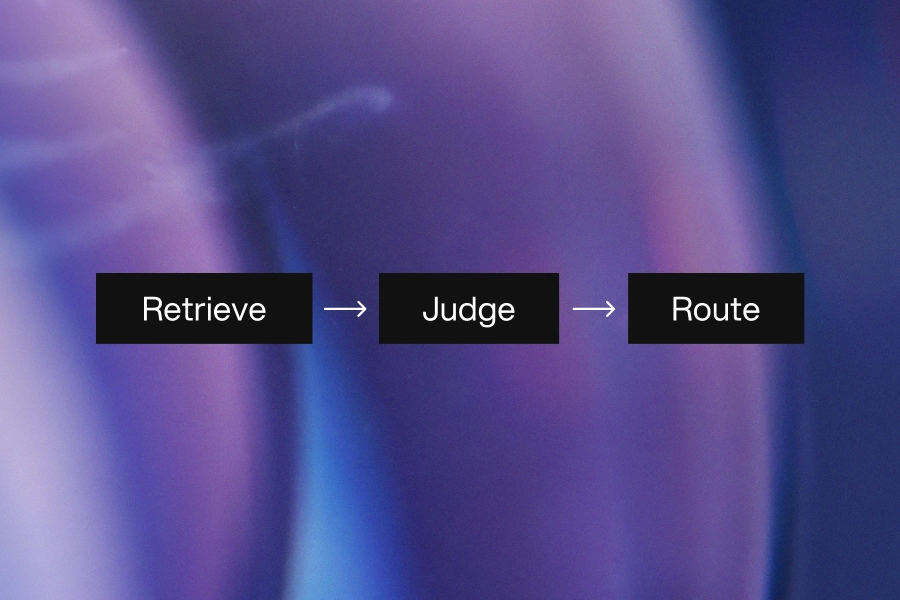
The You.com Sim integration replaces that chain with a single block. Retrieval returns LLM-ready output, citations travel with the answer, and partial failures show up as fields you can branch on.
What the You.com Sim Integration Includes
The block authenticates with a You.com API key and exposes eight tools. Each one's output can feed an Agent, Condition, or Loop block like any other step.
- Search returns web and news results with snippets, query-relevant highlights, or full page Markdown.
- Get Contents fetches one or more URLs as Markdown, HTML, or page metadata.
- Answer returns a synthesized answer with numbered citations and the verbatim excerpts behind each one.
- Research runs multi-step research and returns a cited Markdown report or structured output.
- Get Research Task polls a background research job by its task ID.
- Finance Research works across earnings reports, SEC filings, analyst coverage, and market news.
- Search Images returns image URLs for a query. It is in beta and only works with early-access API keys.
- Get Account Balance reports remaining API credits for the account that owns the key.
Choosing a Research Effort Level in the You.com Sim Integration
Research takes a researchEffort parameter, and choosing one is mostly a matter of how long the caller can wait. Lite returns in under 10 seconds. Standard, the default, takes 10 to 30 seconds. Deep stays under 120 seconds and exhaustive under 300, while frontier always runs as a background task and hands back a task ID instead of an answer.
That last tier changes how you wire the workflow. A chat agent can't hold a user for five minutes, so frontier runs belong in two workflows. The first starts the task with background set to true and stores the taskId. The second runs on a schedule and calls Get Research Task until status reads completed, failed, or cancelled. Sim ships a template for this pattern that ends by emailing the finished report.
Research also returns a warnings array that reports source access problems and partial results. Route it through a Condition block. A report built on half its intended sources shouldn't reach a reader looking identical to one built on all of them.
Structured Output Without a Parsing Step
Pass a JSON Schema as outputSchema and Research returns an object instead of Markdown, with contentType set to object. Sim's lead research template uses this to read company names from a table, research each one, and write headquarters, headcount, and recent funding back to the row. A schema for that job looks like this:
{
  "type": "object",
  "additionalProperties": false,
  "required": ["headquarters", "headcount", "recentFunding"],
  "properties": {
    "headquarters": { "type": "string" },
    "headcount": { "type": "string" },
    "recentFunding": { "type": "string" }
  }
}
Two constraints will cost you a debugging session if you miss them. Every object in the schema needs additionalProperties: false, and every property has to appear in required. Structured output also isn't supported at lite effort, so pair a schema with standard or higher.
Three Workflows Worth Building First
Sim lists eight You.com agent templates. These three cover the patterns most teams reach for first.
A Daily Competitor News Digest
A scheduled workflow runs Search once a day, pulls highlights from each news result, and posts a short digest to Slack. The Search block configuration is small:
query: "Acme Corp product launch"
freshness: day
count: 10
extractionMode: highlights
Highlights mode returns only the passages relevant to the query instead of keyword snippets or whole pages, which keeps the summarizing agent's context short and its cost predictable. The count limit applies per section, so a count of 10 can return up to 10 web results and 10 news results.
A Knowledge Loader for Documentation
Get Contents takes a comma-separated list of URLs and returns each page as Markdown. Feed the output into a Sim knowledge base and your agents answer from the current version of the docs. By default maxAge has no limit, which means a cached copy can come back regardless of how old it is. Set it in seconds (86400 for one day) to force a re-fetch of anything older. Slow documentation sites may also need crawlTimeout raised from its 10-second default, up to a maximum of 60. Pair it with Search in the same workflow and a Sim agent can answer from both live web results and your internal docs, with citations for each.
An Earnings Analyst Over a Watchlist
Finance Research runs at deep effort (under 120 seconds) or exhaustive (under 300 seconds). Sim's template loops over the tickers in a table after earnings season, summarizes revenue drivers with citations, and writes each summary back to its row. Run sequentially at deep effort, a 20-ticker watchlist can take up to 40 minutes. Put it on a schedule rather than behind a button, or fan it out with a Parallel block.
Controlling Sources and Spend in the You.com Sim Integration
Search, Answer, and Research all accept includeDomains, excludeDomains, and boostDomains, with up to 500 domains each. An include list restricts results to those domains and can't be combined with the other two. A boost list ranks the listed domains higher without filtering anything out, which suits favoring your own documentation without hiding the rest of the web. When an infosec or compliance reviewer asks where an agent gets its facts, an include list plus the citations array in every Answer response gives them something concrete to audit.
Spend is the other question that comes up before approval. Get Account Balance returns the remaining credits for the account or organization that owns the key, and the number comes back in cents, so divide by 100 before comparing it to a dollar threshold. Sim's credit alert template checks the balance every morning and posts to Slack when it drops below a number you set.
How to Connect You.com to Sim
- Create an API key on the You.com platform.
- Sign up at sim.ai or open an existing workspace.
- Drag a You.com block onto the workflow canvas and paste in the key.
- Pick a tool, wire its inputs to earlier blocks, and click Run.
Inputs can reference outputs from earlier steps, so a Search query can come straight from text an Agent block generated a step before. The full parameter reference is in Sim's You.com documentation.
Start With One Workflow
The web step in an agent workflow tends to get built last and debugged most. With the You.com block in Sim, it becomes a configured component with documented latency tiers, typed output, domain controls, and a credit balance you can check from the same canvas as everything else. The news digest and the knowledge loader both run in seconds and make good first builds. Move to background research once you've seen what the warnings array looks like on your own queries.
Try the APIs for Free. Get a You.com API key and drop the block into your first Sim workflow.
Frequently Asked Questions
Sim is an open source, self-hostable visual AI agent builder for building and deploying agents, with 1,000+ integrations and support for every major LLM.
The You.com Sim integration is a native block in Sim's visual workflow builder. It gives Sim agents eight tools built on the You.com Web Search API, covering web and news search, page contents, cited answers, deep and financial research, image search, and credit balance checks.
Only Search Images. It is in beta and requires an early-access API key. The other seven tools work with a standard key.
It depends on researchEffort. Lite finishes in under 10 seconds, standard in 10 to 30, deep in under 120, and exhaustive in under 300. Frontier always runs as a background task that you poll with the Get Research Task tool.
LI Test
LI Test
Share Article:
Related resources.

You.com Is Now a Connector in Merge Agent Handler
October 9, 2026
Blog

Pydantic AI and You.com—Delivering Powerful Web Intelligence and Agent Orchestration
August 27, 2026
Blog

The Model Is the Cheapest Part of a Grounded Answer
August 13, 2026
Blog
.png)
Real-Time Web Intelligence for Autonomous Agents: You.com × Sapiom
August 7, 2026
Blog