What Is a SERP API? Architecture, Limitations, and Why the Market Is Shifting


LI Test
URL CopiedLI Test
TLDR: SERP APIs scrape search engine results pages and return structured metadata. They work well for rank tracking and SERP feature monitoring, but AI workloads that need full-page content require a second extraction pipeline on top. The decision rule is based on what your system consumes. If it needs rank positions, ads, or local pack data, a SERP API fits, but if it needs model-ready page text, look for APIs that return content directly and compare total system cost, not just the per-query price.
Your application needs real-time web data. Maybe it's grounding an LLM to prevent hallucinations, powering a competitive intelligence dashboard, or feeding an agentic workflow that researches topics autonomously. For years, the default answer was a SERP API, a managed service that scrapes search engine results pages and returns structured JSON. Then Google deployed SearchGuard, a bot protection system that significantly disrupted scrapers, and shut the Custom Search JSON API to new customers, with full discontinuation in 2027.
If you're evaluating how to get search data into your application, you need to understand what SERP APIs actually do, where they fall short for AI workloads, and what the alternatives look like now.
What Is a SERP API?
SERP stands for Search Engine Results Page. A SERP API is a managed service that retrieves, renders, and parses those pages into structured data your application can consume. You send query parameters and get back JSON with organic results, ads, knowledge panels, local packs, and other SERP features already extracted and normalized.
The category exists because search engines treat automated requests differently from human ones. IP blocks, CAPTCHAs, JavaScript-dependent rendering, and frequent document object model (DOM) changes make reliable SERP access an ongoing engineering problem. SERP API providers absorb that complexity as a service, charging per query while they handle the infrastructure and maintenance.
How a SERP API Works Under the Hood
A SERP API sits between your application and a search engine's results page. You send a structured query with keywords, location, language, device type, and pagination offset, and get back structured JSON. That simplicity is the product. Behind it, the provider runs a full pipeline of infrastructure you'd otherwise build and maintain yourself.
- Proxy infrastructure and rotation: Providers maintain large IP pools to avoid detection and IP blocks. Your application never touches the proxy layer directly, which is part of the appeal of using a managed service instead of building this stack yourself.
- Geo-targeted request routing: Providers route queries through location-appropriate infrastructure to return geographically relevant results. That matters when rankings, local packs, or ads differ by market.
- HTML retrieval and rendering: JavaScript-rendered SERP features, such as carousels and dynamic rich results, require headless browser infrastructure on the provider's side. That rendering layer is one reason these systems are more operationally complex than a basic index lookup.
- Parsing and normalization: The provider extracts structured data from raw HTML and returns a stable JSON schema. When Google changes its DOM structure, the provider updates parsers instead of forcing every customer to patch their own scraper.
- Response delivery: Providers usually support synchronous delivery for real-time use cases and task-based async processing for bulk workloads. That split lets submission and processing rates be decoupled when teams run large batches.
That parser maintenance contract, where the provider owns the obligation to keep up with DOM changes, is the core architectural reason to use a managed SERP API over DIY scraping. Building your own means dedicating engineers to an unpredictable maintenance schedule driven by the search engine's release cadence.
What You Get Back: Response Structure
A typical SERP API response includes a metadata envelope plus structured sections for each SERP element type:
| SERP Element | Typical API Key | What It Contains |
|---|---|---|
| Organic results | organic_results | Position, title, link, snippet, rich snippet fields |
| People Also Ask | related_questions | Question, snippet, source link |
| Knowledge Graph | knowledge_graph | Entity data, structured facts |
| Featured Snippets | Embedded in organic or dedicated key | "Position zero" answer extraction |
| Local Pack / Maps | local_results | Business name, address, rating, hours |
| AI Overviews | ai_overview | Typed content blocks with reference_indexes for provenance |
| Paid Ads | ads | Top and bottom placement distinctions |
| Shopping Results | shopping_results | Product title, price, merchant, thumbnail |
| Video Results | video_results | Title, duration, channel, thumbnail |
Responses can also include diagnostic metadata for debugging parser discrepancies, latency tracking, and result volume context.
This data is structured metadata about search results, not the content of the destination pages. That distinction is central to the architectural decision you'll face.
Where SERP APIs Break Down for AI Workloads
For SEO rank tracking, SERP feature monitoring, and ad position analysis, traditional SERP APIs remain a strong fit. They return exactly the data those use cases need. For LLM grounding, RAG pipelines, and agentic workflows, however, the picture is different.
The Content Gap
To feed an LLM full-page content, you need a secondary pipeline: fetch each URL, handle bot detection, render JavaScript, extract text, and convert to a format the model can consume. That secondary pipeline has its own costs, proxy services, headless browser infrastructure, anti-bot bypass, content normalization, and its own failure modes.
At production volumes, these hidden costs can eliminate the apparent per-query price advantage of a SERP API.
Latency at the Wrong End of the Spectrum
A 2026 industry benchmark of 15 providers found three distinct categories: full SERP APIs that scrape and parse Google results, fast APIs that trade feature coverage for speed, and independent indices built for AI workloads. Traditional SERP APIs sat at the slowest end, with the fastest indices outpacing even the quickest real-time scrapers. For agentic workflows where search calls sit in the critical path of user-facing responses, that gap can be architecturally significant.
Legal and Platform Fit
SERP APIs depend on continued access to Google's infrastructure, and Google has been actively restricting that access. SearchGuard raised the cost and complexity of scraping, and the Programmable Search Engine/Custom Search JSON API shifted to site-specific search only for new projects starting January 20, 2026. For production systems with multi-year planning horizons, that platform dependency is as much a fit question as latency or price.
The Fork: SERP APIs vs. AI-Native Search APIs
Content gaps, latency, and platform risk have pushed the market into two distinct architectural categories. The split matters more than individual provider features.
- Traditional SERP APIs scrape search engine result pages and return structured metadata. They depend on continued access to search engine infrastructure.
- AI-native search APIs operate independent indexes or retrieval systems. Some return content directly, not just metadata, in formats designed for LLM consumption.
Choosing between them means weighing trade-offs that compound across your stack:
| Criterion | SERP APIs | AI-Native Search APIs |
|---|---|---|
| Content depth | Snippets only, extraction pipeline required | Often returns content directly |
| Legal risk | Elevated, platform dependency and access risk | Independent index, different risk profile |
| TCO transparency | Understated, hidden extraction costs | More transparent when extraction is included |
| Data freshness | Live Google index | Variable by provider |
| LLM integration | Requires post-processing | Can be structured for direct injection |
| Vendor stability | More exposed to access changes | Less dependent on scraped SERPs |
SERP APIs still win when your application needs the search page itself, not the documents behind it. Google's index is the broadest available, and no independent index returns structured layout data like ad positions, local pack results, or knowledge graph entities. If that's what your product consumes, the extraction pipeline problem doesn't apply.
What the Alternative Looks Like in Code
When your system does need page content, the difference becomes concrete at the retrieval step. With a traditional SERP API, you get snippets and metadata, then build a secondary pipeline to fetch, render, and extract full-page content from each URL. With an API that includes content in the search response, that second pipeline disappears:
from youdotcom import You

with You(api_key_auth="your_api_key") as you:
    results = you.search.unified(
        query="machine learning best practices site:arxiv.org",
        count=5,
        livecrawl="all",
        livecrawl_formats="markdown"
    )

for hit in results.results.web:
    print(hit.title)
    print(hit.contents.markdown[:500])  # Full page content, not just a snippet
One round trip returning search results and full-page Markdown. A SERP-based equivalent would need the search call plus a separate crawl-and-extract pass for every URL.
The You.com Search API, for example, achieves 92.1% accuracy on SimpleQA with a 99.9% uptime SLA. For queries needing synthesis rather than raw results, the You.com Research API adds multi-step reasoning with citation-backed answers.
Pricing at Realistic Scale
A SERP API's per-query cost looks low because it covers discovery, not delivery: you get snippets and links, but turning those links into usable page content requires proxy infrastructure, headless browsers, anti-bot handling, and ongoing engineering maintenance. None of that shows up on the API invoice.
SerpAPI runs about $3,750 for 1 million queries per month. The You.com Search API costs $5.00 per 1,000 calls with livecrawl included, returning full-page Markdown in the same response. The Contents API covers the case where you already have URLs and only need clean extraction, at $1.00 per 1,000 pages.
When you price the full stack instead of just the search call, the cheapest per-query API can turn out to be the most expensive system to run.
Building for Reliability at Scale
Whether you stay with a SERP API or switch to a content-included alternative, production search integrations need resilience patterns.
A few apply across the category:
- Classify exceptions before retrying. Rate limit errors (429) get exponential backoff with jitter. Bad request errors get failed fast. Auth errors get immediate alerts, not retries.
- Implement circuit breakers. When a provider's error rate crosses a threshold, stop sending traffic and fall back to a secondary provider or cached results. The opossum library in Node.js supports this pattern, while LangChain's ToolRetryMiddleware supports automatic retry with configurable backoff.
- Cache strategically by use case. Competitive monitoring queries get ~1 hour TTL. SEO rank tracking gets ~24 hours. Real-time news queries should not be cached at all.
- Cap concurrency explicitly. Use semaphores or equivalent concurrency controls to stay within rate limits. Bursty traffic without concurrency caps produces 429 errors that cascade into degraded UX.
These patterns apply on both sides of the fork, and they sharpen provider comparisons too. Once retry logic, caching, and concurrency controls are standardized, you can evaluate providers on what actually differs: ranking quality, content depth, and whether the response includes enough material to skip the extraction layer entirely.
Making the Decision
The decision hinges on what your system consumes. If it needs the search page layout, rank positions, ad placements, and local pack data, a SERP API delivers that directly. If it needs the documents behind those results, every SERP API call becomes the first step in a longer pipeline.
Most teams figure out which category they're in by looking at what happens after the search call returns. If your code immediately fetches each URL, parses HTML, and extracts text before anything useful reaches the model, you're maintaining an extraction stack whether you planned to or not. That's the clearest signal that a content-included API would collapse multiple failure points into a single call.
The fastest way to validate is to run your actual query set through both paths. Measure what comes back without post-processing, then count the infrastructure you'd need to add before your model can use it.
The You.com Search API is a good place to start that test. With livecrawl enabled, it returns full-page content in the search response, so you can see how much of your current extraction pipeline it replaces on your own queries.
Frequently Asked Questions
How should a small team estimate the real cost of the extraction layer?
Model it as a chain of failure domains, not a single feature. One search request can expand into URL fetches, JavaScript rendering, anti-bot handling, text cleanup, retries, and monitoring. A useful way to test it is to measure each stage separately at the same result depth and concurrency you expect in production. That shows whether costs are coming from discovery, crawl success, or cleanup work.
What should teams watch for when comparing search results with fetched content?
Look for mismatch between discovery and retrieval. A search result can be relevant while the destination page is slow to crawl, blocked, or noisy after extraction. Track those as separate stages so you can tell whether the problem is ranking quality, crawl success, or content cleanup.
When should a team separate discovery from synthesis?
Separate them when raw retrieval and final answers have different performance goals. Search-style retrieval is often on the critical path for latency, while synthesis can take longer if the workflow needs cross-referencing or multi-step reasoning. In practice, that usually means giving each stage its own timeout, retry policy, and success metric rather than treating them as one request.
When does a hybrid setup make sense instead of choosing one category?
A hybrid setup makes sense when the application has two different outputs with different operational requirements. If one path needs rank positions, ads, or local pack visibility and another needs page text for downstream model use, split those paths early. That keeps SERP retrieval narrow, makes caching easier to reason about, and limits content fetching to the branch that actually needs documents.
Where can teams try this without building crawling and extraction first?
You.com is one option. The Search API's livecrawl parameter returns full-page content in the search response, so you can compare a content-included workflow against an existing SERP-based stack without building separate crawling infrastructure.
Featured resources.
.webp)
Paying 10x More After Google’s num=100 Change? Migrate to You.com in Under 10 Minutes
September 18, 2025
Blog
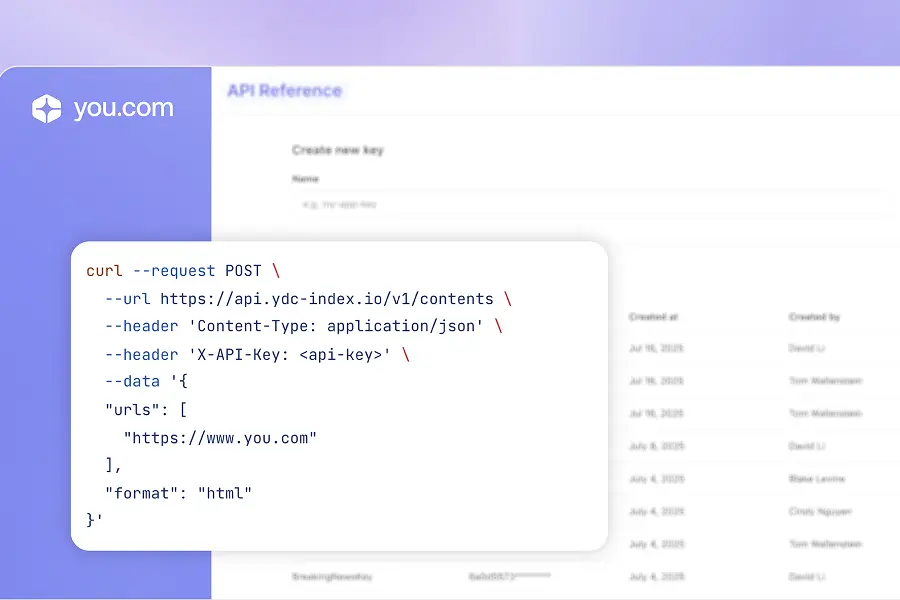
September 2025 API Roundup: Introducing Express & Contents APIs
September 16, 2025
Blog
You.com vs. Microsoft Copilot: How They Compare for Enterprise Teams
September 10, 2025
Blog
All resources.
Browse our complete collection of tools, guides, and expert insights — helping your team turn AI into ROI.
.png)
You.com Web Intelligence Is Now Available in MindStudio’s Remy Apps
Madison Lee
,
Senior Partnerships Lead
June 4, 2026
Blog

Context Window: Meaning and Optimization Tips
You.com Team
May 26, 2026
Blog
.png)
How APIs Became the Connective Tissue of LLMs
Brooke Grief
,
Head of Content
May 20, 2026
Blog

Simple Abstractions, Dense Payloads: Tool Design for Agentic Search
Vincent Seng
,
Senior AI Engineer
May 18, 2026
Blog
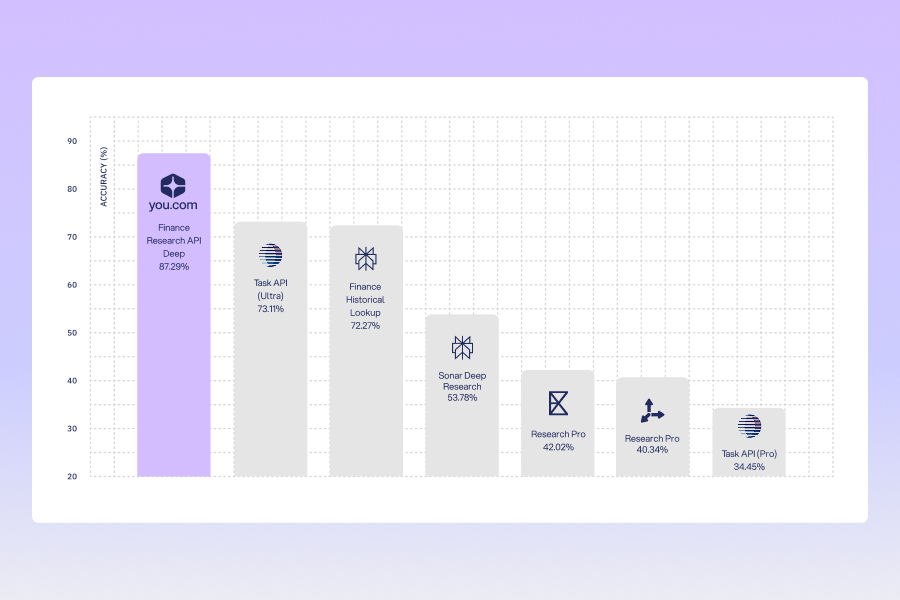
Introducing the You.com Finance Research API: Agentic Research, No Infra Required
Rahul Mohan
,
Senior AI Engineer
May 14, 2026
Blog

Same LLM, Better Web Search, Better Outcome
Chak Pothina
,
Product Marketing Manager, APIs
May 7, 2026
Blog
What Is Semi Structured Data: A Developer's Guide
You.com Team
May 4, 2026
Blog
.png)
Context Rot Is Quietly Breaking Your API Integrations
Brooke Grief
,
Head of Content
May 1, 2026
Blog